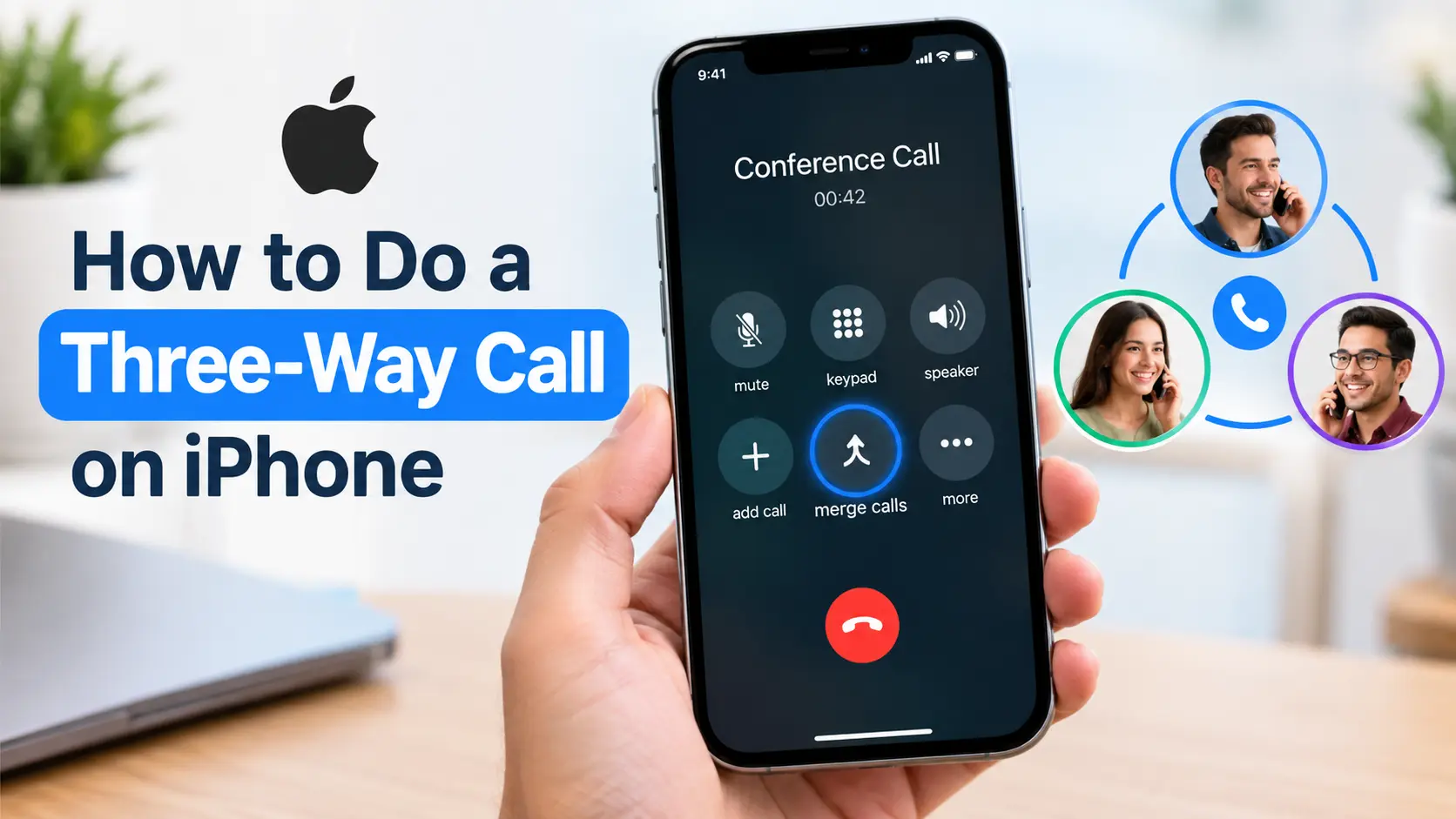
To do a three-way call on iPhone, call the first person and wait for them to answer.
Tap More, choose Add People, call the second person, and wait for the call to connect. Then tap Merge Calls. All three people can now talk together on the same phone call.
Key Takeaways
📱 A three-way call lets you talk with two other people at the same time.
➕ Use Add People to place the second person on the call.
🔗 Tap Merge Calls after the second person answers.
📞 Your carrier determines whether conference calling works and how many people you can add.
⚠️ If Merge Calls is missing, carrier, network, or calling-method limitations may be responsible.
1. How to Do a Three-Way Call on iPhone
Making a three-way call on an iPhone is usually simple. You don’t normally need a separate conference-call app because the Phone app can combine multiple cellular calls when your carrier supports the feature.
The basic process is:
Call Person 1 → Add Person 2 → Wait for them to answer → Merge Calls
Here’s how to do it step by step.
Step 1: Call the First Person
Open the Phone app on your iPhone and call the first person.
You can choose someone from your contacts, recent calls, or enter their phone number manually.
Wait until the person answers and the call is connected.
Step 2: Add the Second Person
While you’re still talking to the first person, look at the controls on your call screen.
Depending on your iOS version and screen layout, you may see an Add People option directly or need to tap More first.
Tap Add People.
The first caller will remain connected while you place another call.
Select the second person from your contacts or use the keypad to dial their number.
Wait for the second person to answer.
Step 3: Merge the Calls
Once the second person has answered, tap Merge Calls.
Your two separate calls will be combined into one conversation.
You, the first person, and the second person can now hear and speak to each other.
That’s your three-way call. 🎉
If you want to add additional people, you can repeat the process, although the maximum number of participants depends on your carrier and service.
💡 Tip: If you don’t see Merge Calls, don’t assume your iPhone is broken. First make sure the second call has actually connected, then check whether your carrier supports conference calling.
2. What to Do During a Three-Way Call
Once your calls are merged, you have several options for managing the conversation.
Remove One Person
If you want to continue talking but no longer need one participant, you may be able to remove that person without ending the entire conference call.
Tap the More Info button associated with the conference participants.
Find the person you want to remove and tap End next to their name.
The other participants can continue the conversation.
Talk Privately With One Person
Sometimes you need to speak privately with one participant without the other person hearing.
On supported conference calls, open the participant information and tap Private beside the person you want to speak with.
When you’re ready to return everyone to the same conversation, tap Merge Calls again.
This can be useful when you’re coordinating something with two people and need to discuss a detail with only one participant.
Add an Incoming Caller
You can also add someone who calls you while you’re already on a call.
If another call comes in, choose the option to Hold Call & Answer.
After the incoming call connects, tap Merge Calls.
The incoming caller can then become part of the same conversation if your carrier supports this feature.
📌 Important: The exact buttons can vary depending on your iPhone’s iOS version, carrier, and current call configuration. If your screen looks slightly different, look for options such as More, Add People, Merge, or Merge Calls.
3. How Many People Can Join an iPhone Conference Call?
A three-way call means there are three people total: you and two other participants.
However, the iPhone can support larger conference calls in some circumstances.
Apple’s current iPhone documentation says GSM conference calling can support up to five people, depending on the carrier. Your actual limit may be different because the carrier controls conference-call availability and participant limits.
That means you shouldn’t assume that every iPhone or every cellular plan supports exactly the same number of callers.
If you need to connect a larger group, a dedicated service such as Group FaceTime or another conferencing platform may be more appropriate.
🔑 Key Takeaway: A three-way call is simply a small conference call with three people. Larger conference calls depend on your carrier and service.
4. Why Can’t I Merge Calls on My iPhone?
One of the most common problems is that the Merge Calls button doesn’t appear.
There are several possible reasons.
Your Carrier May Not Support Conference Calling
Conference calling is not controlled entirely by the iPhone.
Your cellular carrier determines whether you can add, merge, or disconnect participants and how many people can join a conference call.
If Merge Calls isn’t available, contact your carrier to ask whether three-way or conference calling is supported on your plan.
VoLTE or Wi-Fi Calling May Affect the Feature
Apple notes that conference calling or some conference-call functions may not be available when a call is using VoLTE or Wi-Fi Calling.
This doesn’t mean these technologies always prevent conference calls. It means availability can depend on the network and carrier configuration.
If the feature isn’t working, checking with your carrier is often more useful than changing random iPhone settings.
The Second Call Has Not Connected Yet
Make sure the second person has actually answered before trying to merge the calls.
If the second number is still ringing, hasn’t connected, or went to voicemail, the merge option may not work as expected.
Wait until the second call is fully connected, then look for Merge Calls.
Check Call Waiting
Call Waiting can also matter when you’re trying to handle another incoming call.
On supported cellular configurations, you can check it under:
Settings → Apps → Phone → Call Waiting
If Call Waiting is turned off, incoming calls may go directly to voicemail while you’re already talking.
⚠️ Important: If your carrier doesn’t provide the required conference-calling functionality, changing iPhone settings may not solve the problem. Carrier support is a key part of how this feature works.
5. Three-Way Call vs. Group FaceTime
A regular three-way phone call and a Group FaceTime call are not exactly the same.
A standard three-way call uses the Phone app and your cellular calling service. It is useful when you simply want several people to talk using their regular phone numbers.
Group FaceTime, on the other hand, is designed for group audio or video communication through FaceTime.
Apple currently supports Group FaceTime with up to 32 participants, although feature availability can vary by country or region.
| Feature | Three-Way Phone Call | Group FaceTime |
|---|---|---|
| Main app | Phone | FaceTime |
| Connection | Cellular calling service | FaceTime |
| Video | No | Yes |
| Audio | Yes | Yes |
| Typical use | Simple phone conversation | Group audio/video conversation |
| Participant limit | Carrier-dependent | Up to 32 |
| Separate app needed | No | No, on supported devices |
If you’re simply trying to connect yourself and two other people by phone, the regular Phone app is usually the straightforward option.
If you want video or a larger group conversation, Group FaceTime may be more suitable.
6. Frequently Asked Questions
How do I make a three-way call on an iPhone?
Call the first person, wait for them to answer, then tap More → Add People. Call the second person and wait for them to answer. Finally, tap Merge Calls to put all three people into the same conversation.
Can I add a third person to an existing iPhone call?
Yes. While you’re on an active call, use Add People to call another person. Once the second person answers, select Merge Calls to create the three-way conversation.
Why is the Merge Calls button missing on my iPhone?
The feature can depend on your carrier and network configuration. Apple also notes that conference calling or some conference features may be unavailable with certain VoLTE or Wi-Fi Calling configurations. Make sure the second call has connected, then contact your carrier if the option still doesn’t appear.
Can I add someone who calls me during a conversation?
Yes, when supported. You can choose Hold Call & Answer when the incoming call arrives and then tap Merge Calls after the new call connects.
How many people can I add to an iPhone conference call?
The number depends on your carrier. Apple says GSM conference calling can support up to five people, depending on the carrier. Your plan or network may have a different limit.
Do I need an app to make a three-way call on iPhone?
No. A standard three-way cellular call can be made through the iPhone’s Phone app when your carrier supports conference calling. You don’t need Zoom or another conferencing app for a basic three-person phone conversation.
Can I remove one person from a three-way call?
On supported conference calls, open the participant information, find the person you want to remove, and tap End beside their name. The remaining participants can continue the call.
7. Conclusion
Knowing how to do a three-way call on iPhone can make it much easier to coordinate with family, friends, coworkers, or clients without starting a separate meeting.
The basic process is easy: call the first person, tap Add People, call the second person, and tap Merge Calls. Once the calls are merged, everyone can participate in the same conversation.
If Merge Calls isn’t available, check whether the second call has connected and remember that conference-calling features depend on your cellular carrier and network configuration.
For larger or video-based conversations, consider Group FaceTime or another conferencing service. For a simple conversation between three people, however, the iPhone’s built-in Phone app may be all you need.

I’m Daniel Moja, the expert behind Punvio.com, where I share the funniest, wittiest, and most creative puns to make your day brighter.
Explore my handpicked wordplay and laugh along with me!